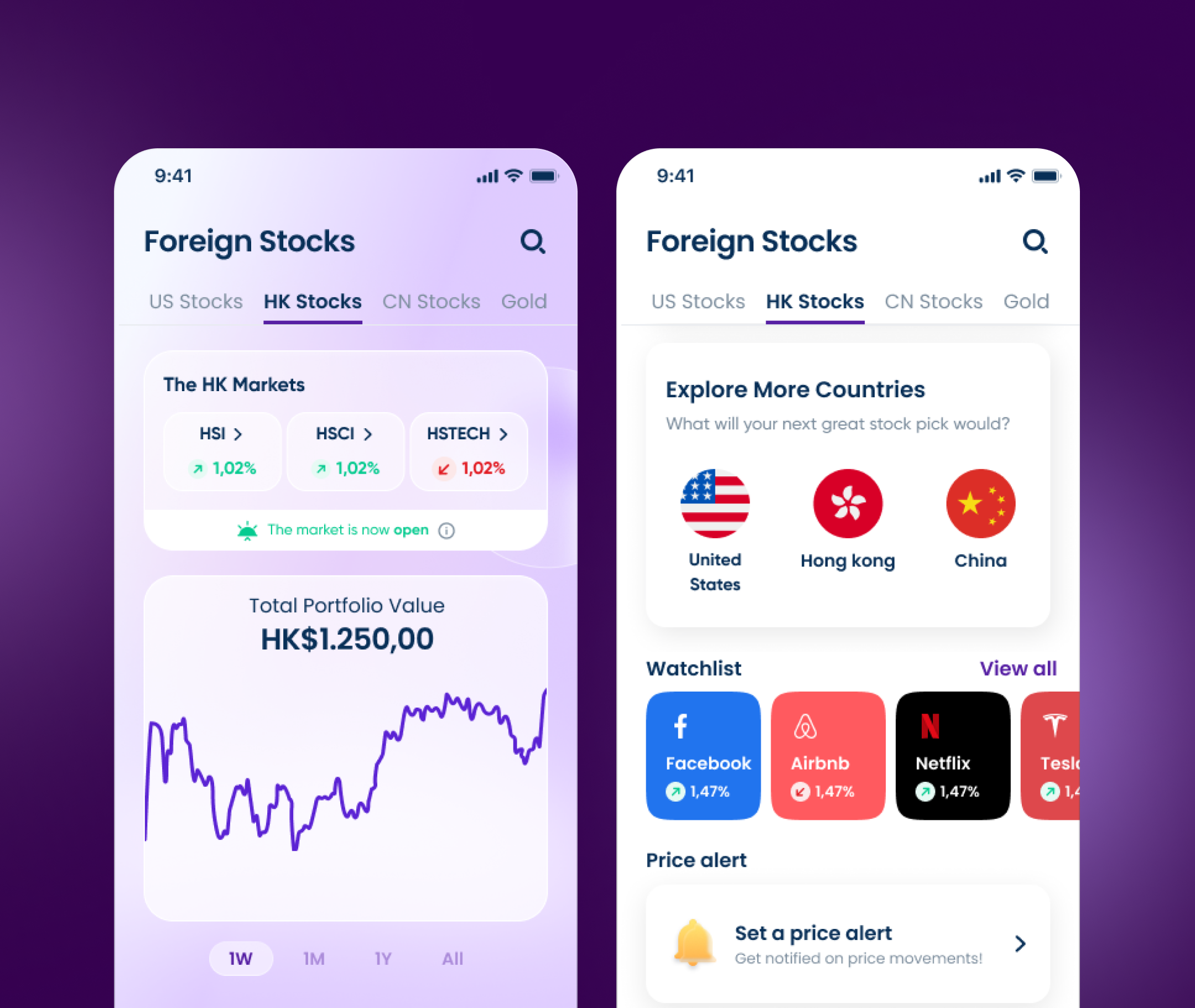
Nanovest Limit Order
Buy a US stock at the price someone names, not the one the market hands them the moment they happen to be looking.
Visit nanovest.io- Client
- Sector
- Role
- Team
- Period
- Surface
Overview
Nanovest's US stocks only traded at market: buy meant right now, at whatever number sat on the ticker. A limit order lets someone name their own price instead and leave, so the app fills it later, at that number or better, without them watching the screen for it.
Scope
- 01Stakeholder interviews
- 02Competitive teardown
- 03Order-type taxonomy
- 04User flows
- 05Wireframes
- 06Interface design
- 07Pricing & fee copy
- 08Confirmation & error states
- 09Prototyping
- 10Design QA
Problem
Every order was a bet on the exact second it fired.
The order screen had two buttons, Buy and Sell, both market orders. A trade filled at whatever price sat on the ticker that instant, so anyone with a number in mind (buy under Rp90.000, not before) had to hold the app open and time the tap themselves, or miss the price entirely.
US markets trade while Jakarta sleeps, which turned that into a real cost, not a hypothetical one. Support kept hearing the same request in different words: a target price, and a way to leave an order behind and come back to it filled, cancelled, or still waiting.
Approach
Name a price, walk away, come back to a decision already made.
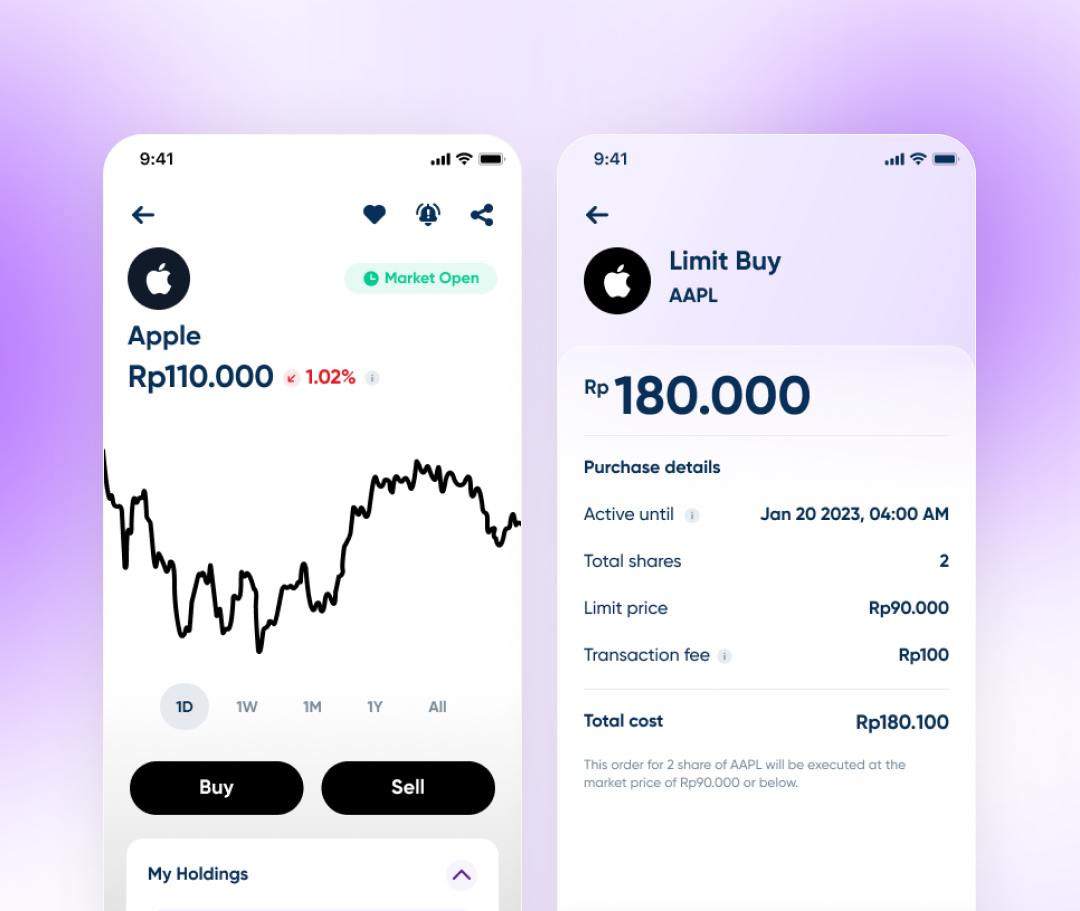
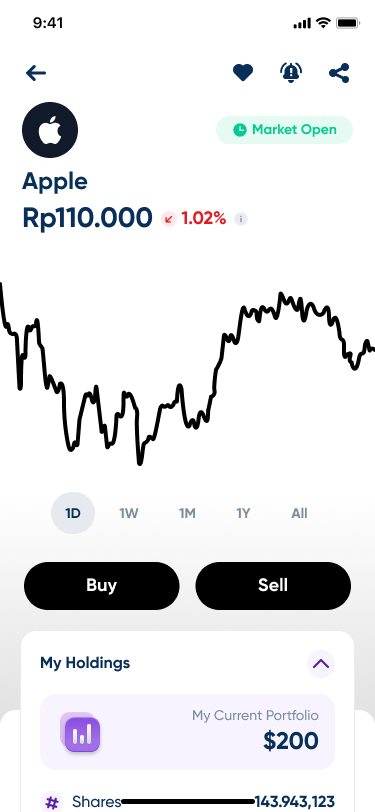
Limit Buy sits one tap from the stock's own detail screen, next to Buy and Sell, so it reads as a third way to trade the stock someone is already looking at, not a separate feature filed somewhere else.
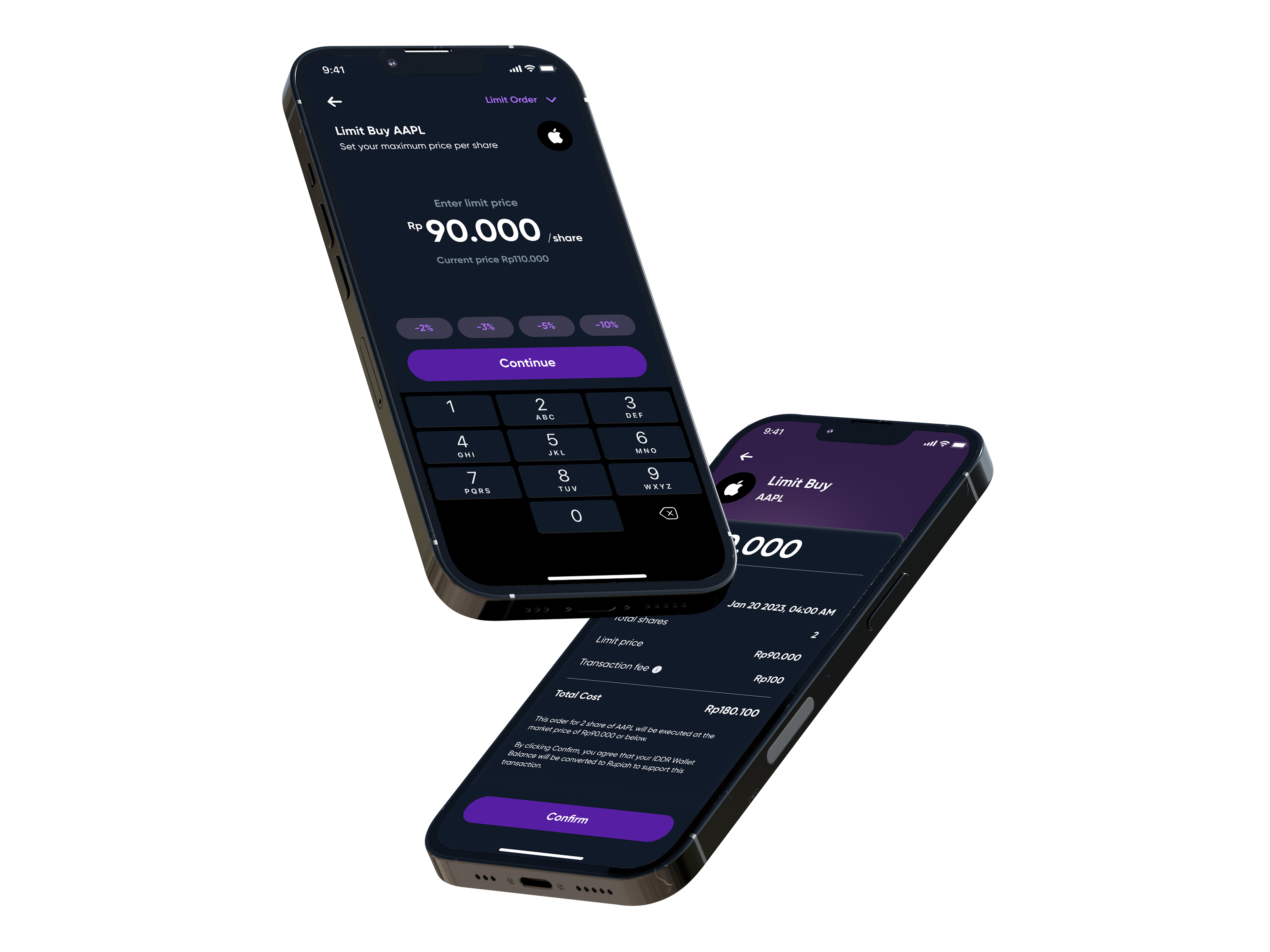
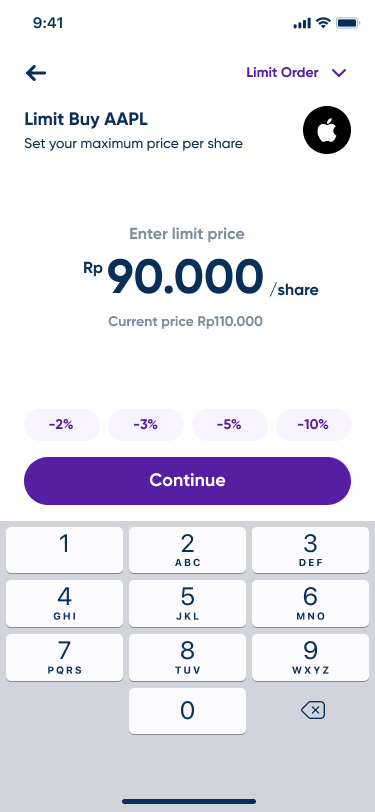
The price field opens anchored to today's price, with four quick offsets, -2%, -3%, -5%, -10%, above the keypad, because most limit orders are a discount off the current number, not a figure typed from memory.
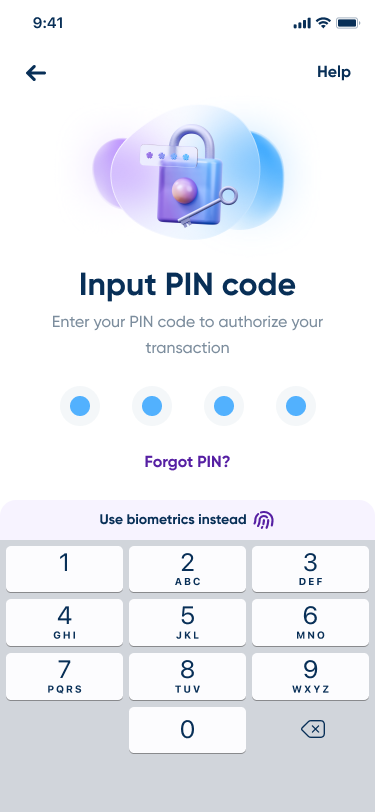
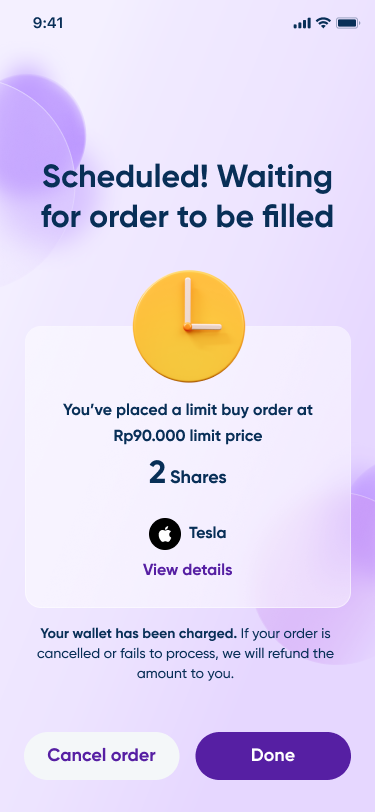
PIN authorization and a processing screen, the same two steps as any other transaction in the app, keep a scheduled order feeling like a purchase rather than a new kind of risk. It settles on one state, Scheduled, with total cost, share count, and a plain sentence saying the wallet is already charged and refunded automatically if the order never fills.
Screens
Results
Deliverables