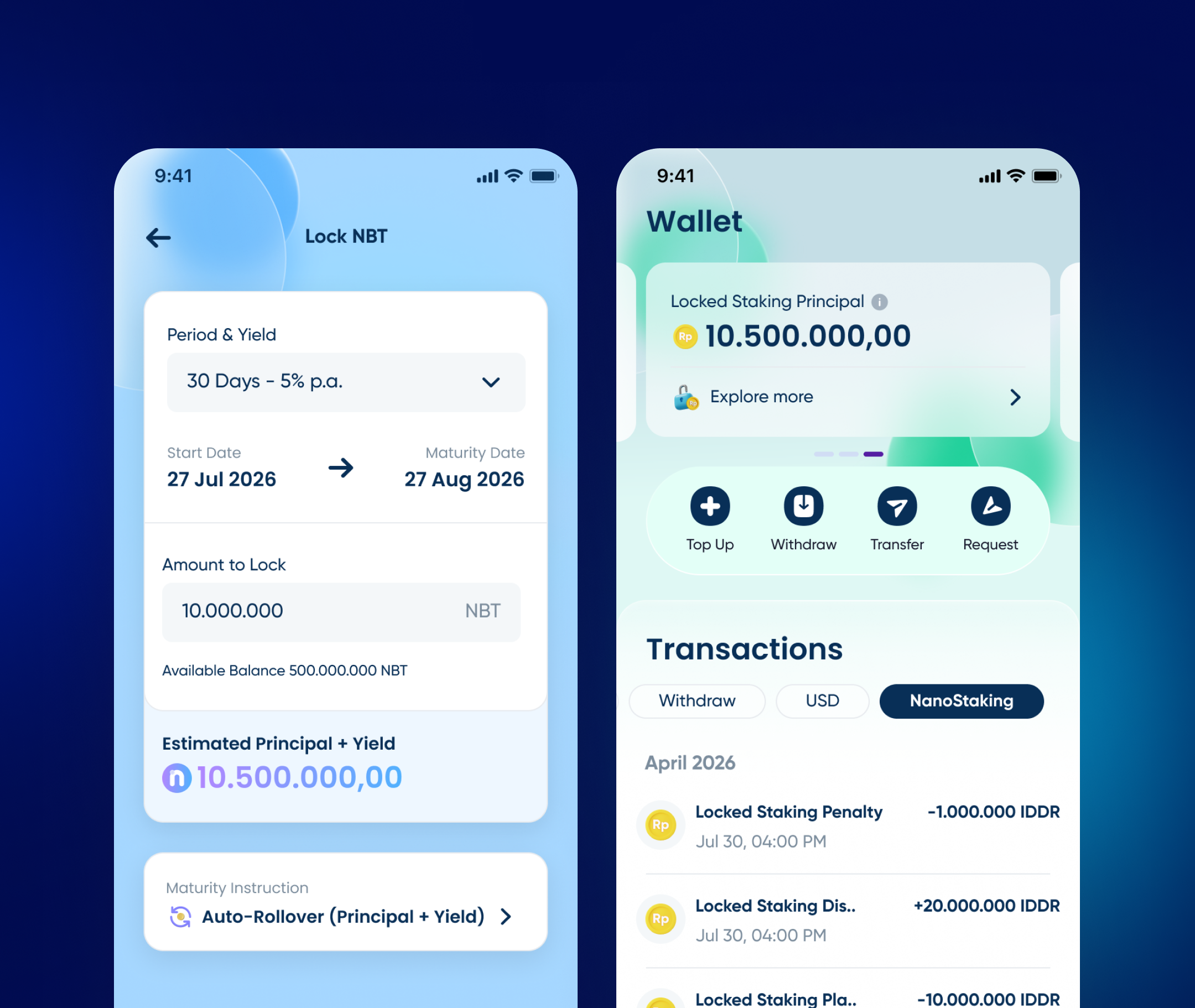
Nanovest US Stocks IPO
Reserve part of a US company's IPO days before it lists, against a price range instead of a number, and let Nanovest settle the difference the moment shares are allocated.
Visit nanovest.io- Client
- Sector
- Role
- Team
- Period
- Surface
Overview
Nanovest could only sell a US stock once it was already trading. A company mid-IPO, still working through a price range days before its first trade, had no order screen at all: someone could only wait, then buy it at whatever multiple the market set on day one.
Scope
- 01Stakeholder interviews
- 02Competitive teardown
- 03Regulatory & eligibility review
- 04Offering-lifecycle mapping
- 05User flows
- 06Wireframes
- 07Interface design
- 08Pricing & fee copy
- 09Allocation & refund states
- 10Prototyping
- 11Design QA
Problem
There was nowhere to ask for a stock before it existed on the market.
Every order screen in the app assumed a live ticker: type a company, see a price, buy at market. A company still mid-IPO, its shares priced only as a range and its first trade still days away, had no detail screen, no order button, nowhere in search: it simply wasn't tradable yet.
High-profile US IPOs are rare and time-boxed: a handful a year, each with a window that opens and shuts before the stock ever lists. Missing that window meant waiting for the ordinary listing day and buying in at whatever the market decided to charge for it.
Approach
A price range in, a price range out: one order that settles itself.
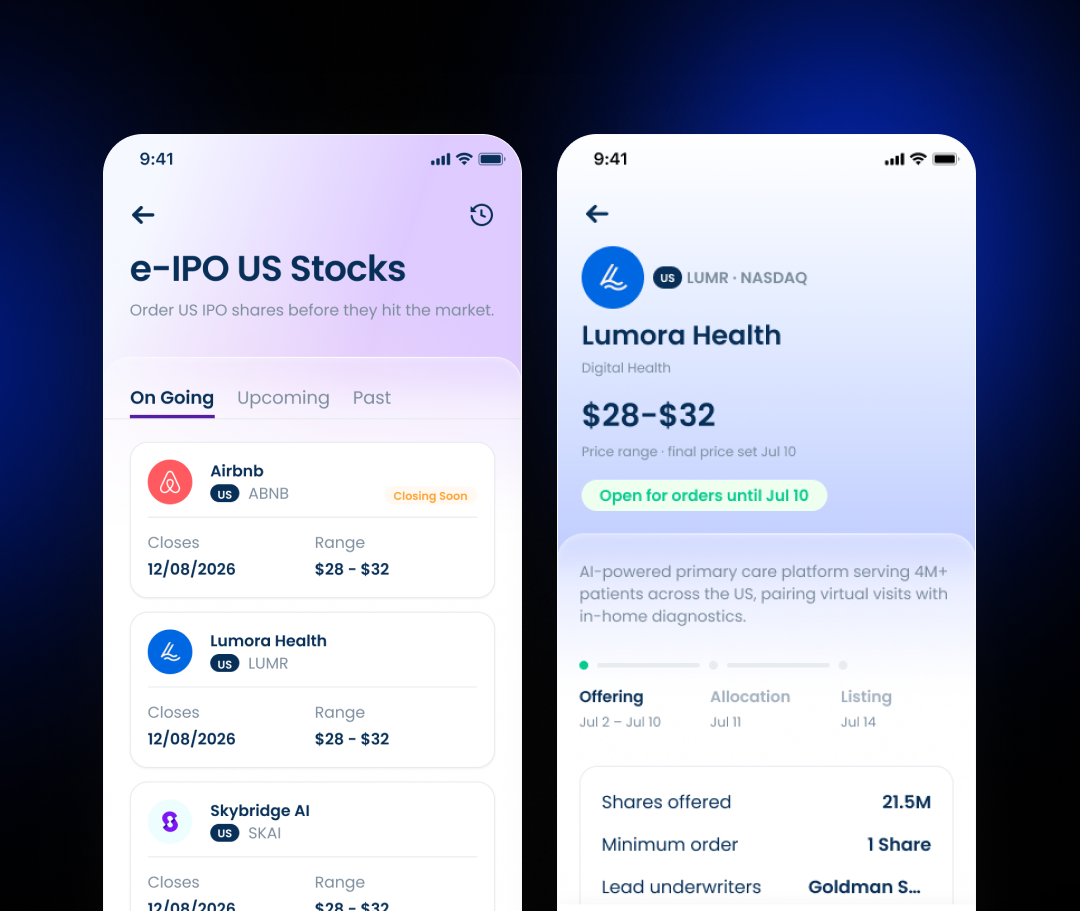
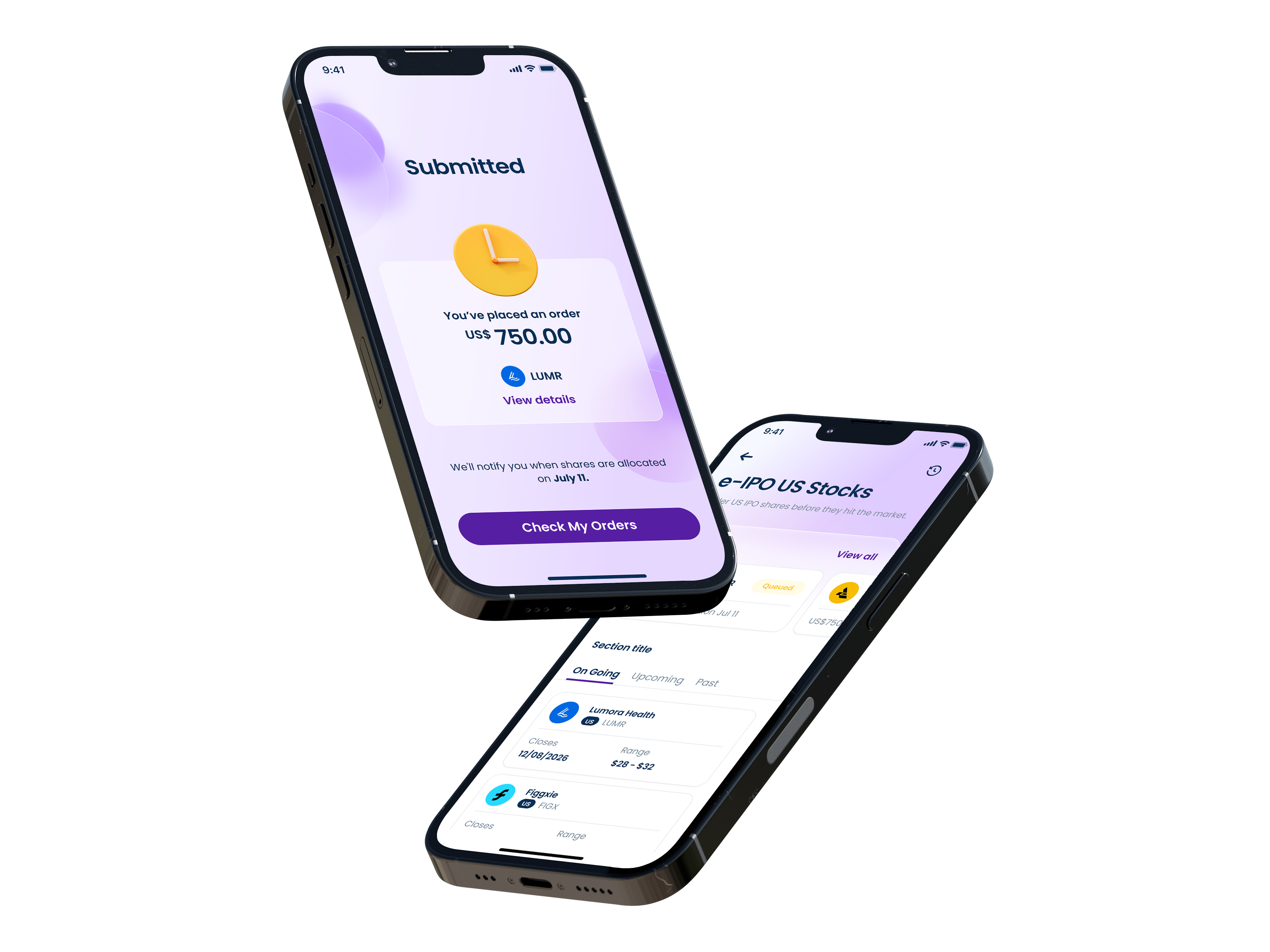
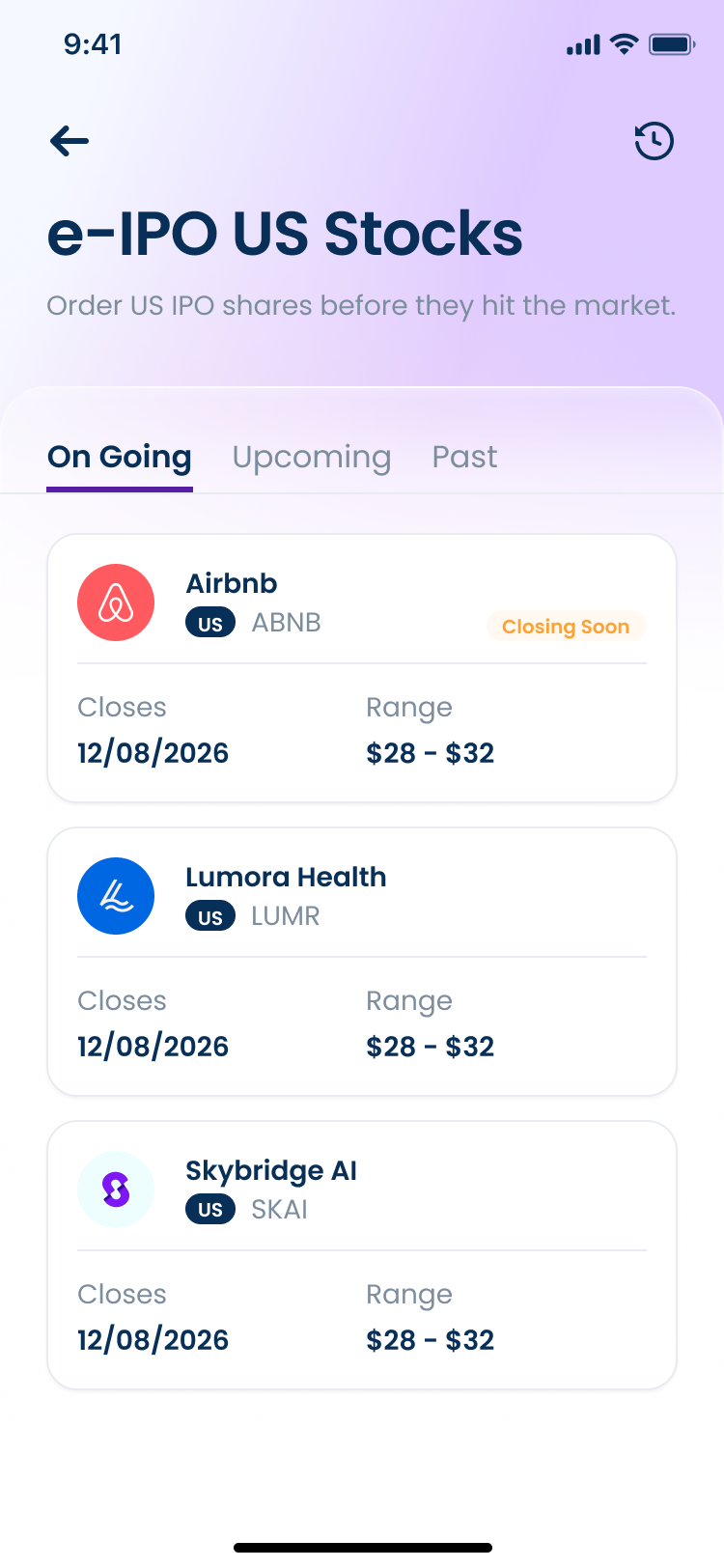
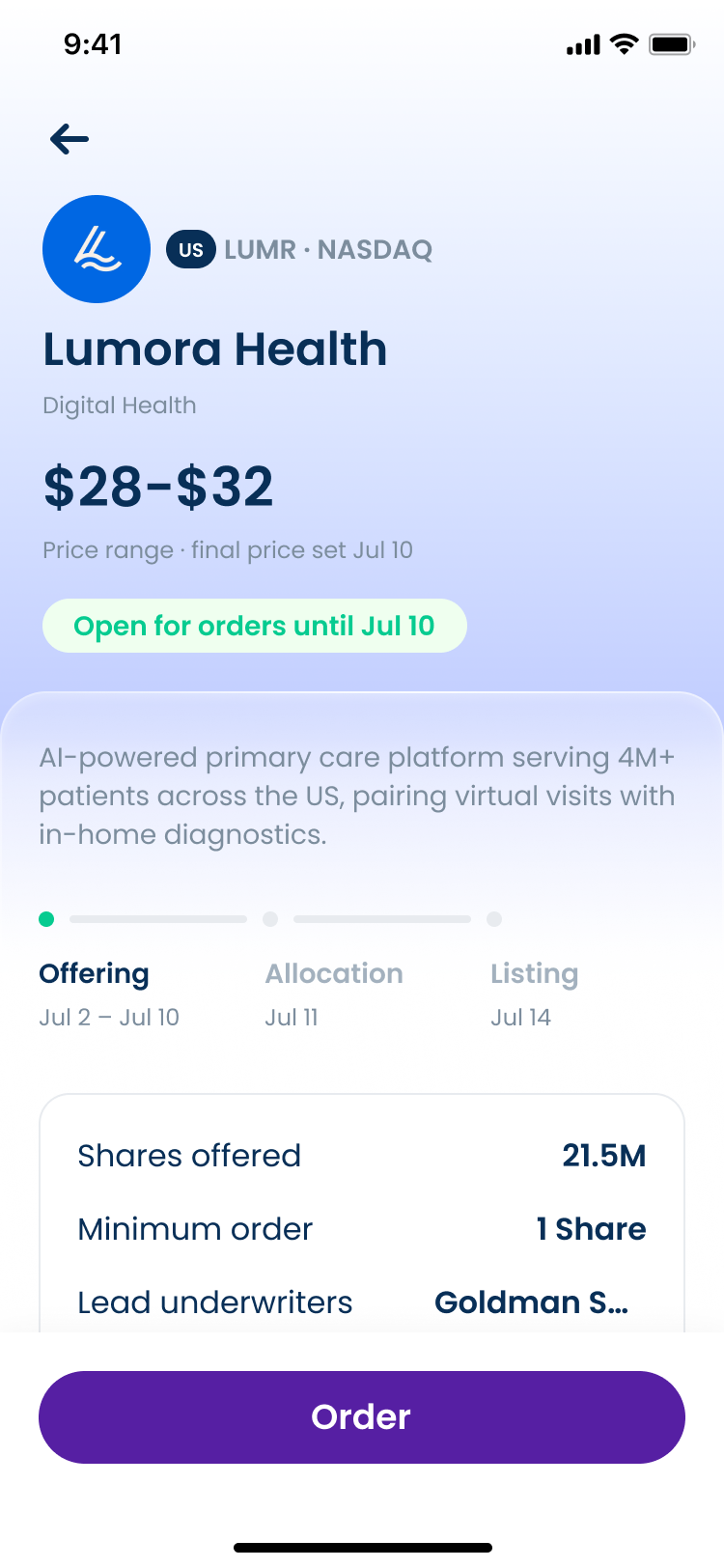
The e-IPO list groups every offering by On Going, Upcoming, Past, so the one fact that actually changes a decision, how many days are left to order, is visible before anyone taps into a single company.
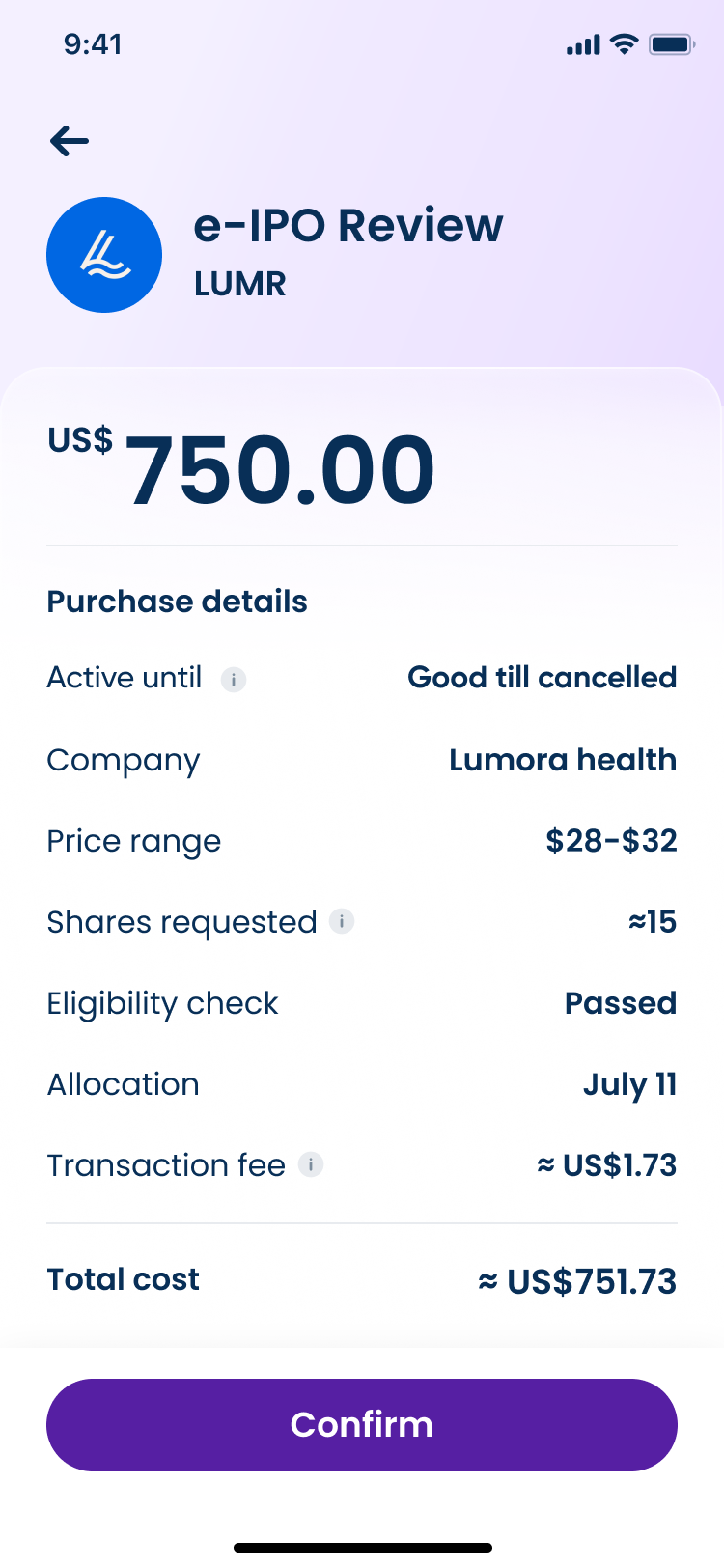
The order commits a dollar amount against the company's published range, not a share count, because the final price isn't set until the offering closes. A review screen states plainly what that money buys: an estimated share count, a transaction fee, and a total charged today.
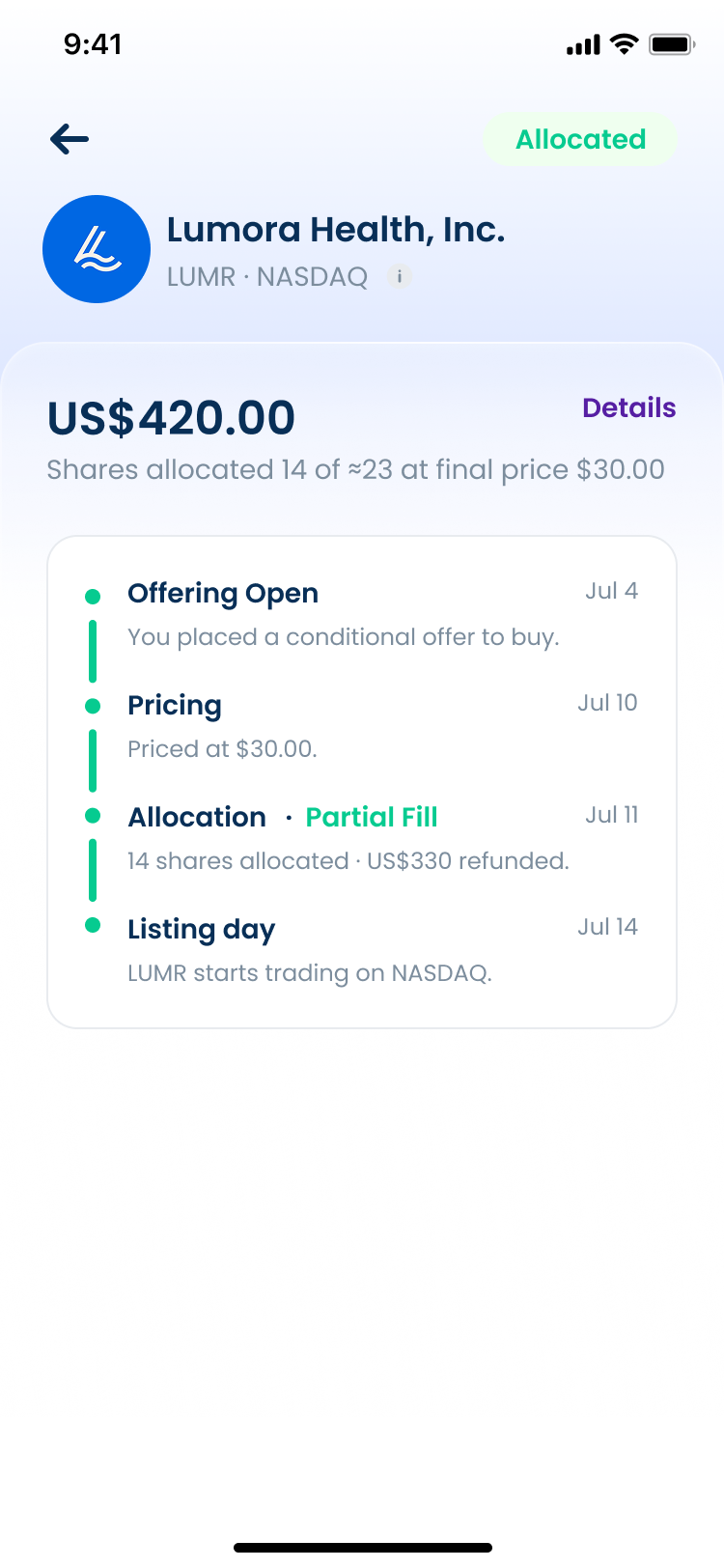
Allocation is the step every other order type in the app skips entirely. A timeline carries the whole lifecycle: offer placed, priced, allocated in full or in part, listed, and states the exact refund the moment a partial fill leaves money unspent, so nobody has to ask support where the rest of it went.
Screens
Results
Deliverables