Nanovest US Stocks Event Calendar
Dividends, splits, earnings and US market holidays, for the stocks someone already owns, in a screen that opens on this month.
Visit nanovest.io- Client
- Sector
- Role
- Team
- Period
- Surface
Overview
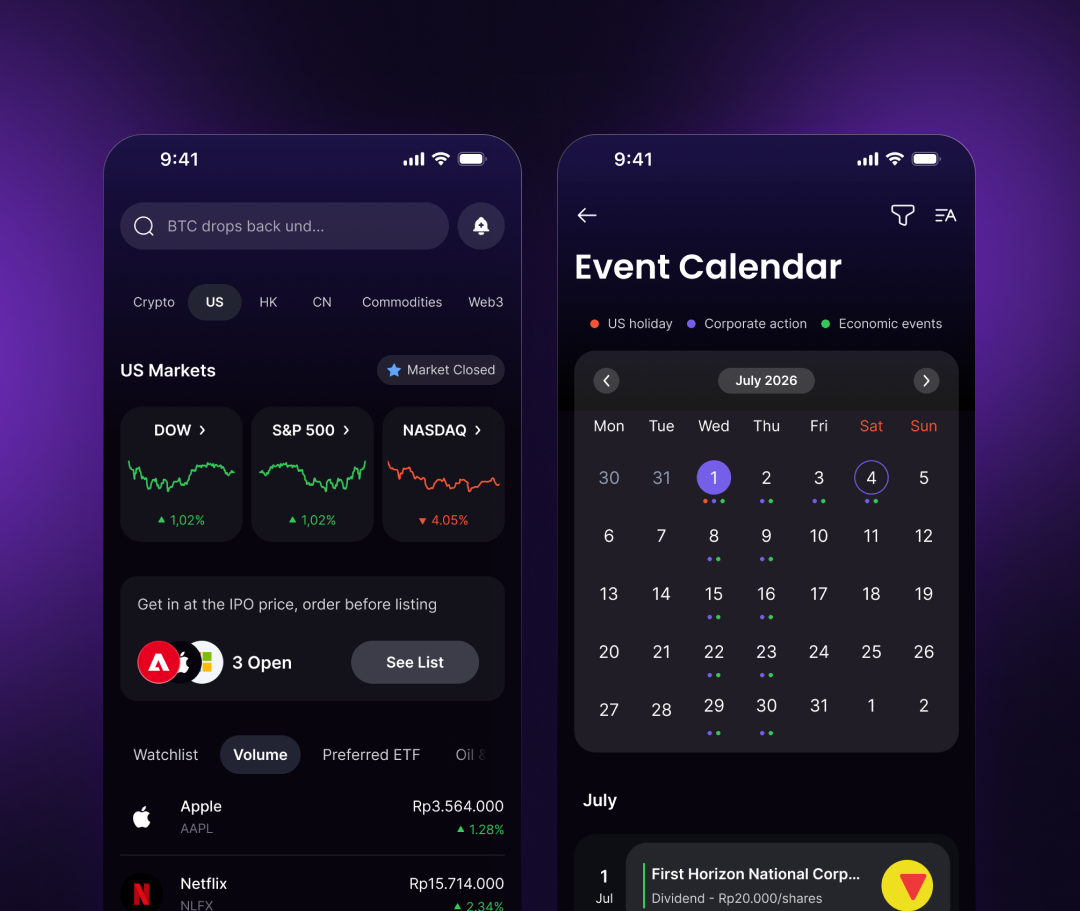
Nanovest lets Indonesians hold US stocks. Corporate actions are the events that move a portfolio without anyone pressing buy, so they got a room of their own: every dated event that touches what a user holds, as a list that opens on this month and a grid one tap away.
Scope
- 01Stakeholder interviews
- 02Competitive teardown
- 03Event taxonomy
- 04Information architecture
- 05User flows
- 06Wireframes
- 07Interface design
- 08Filter & empty states
- 09Prototyping
- 10Design QA
Problem
An ex-dividend date arrived as a surprise.
Corporate actions reached people after the fact. A dividend showed up as a balance that had changed overnight, a split as a share count that no longer matched yesterday's, a closed US market as a day where nothing moved and nothing explained why. The dates existed (in filings, in the news feed, in support replies), but never next to the stocks a person actually held.
What the app had instead was a feed: everything about every ticker, ordered by recency. It answered what happened. Nobody could use it to answer what happens next, to me, and that is the only version of the question a retail investor asks.
Approach
A list that opens on this month, a grid when the month is the question.
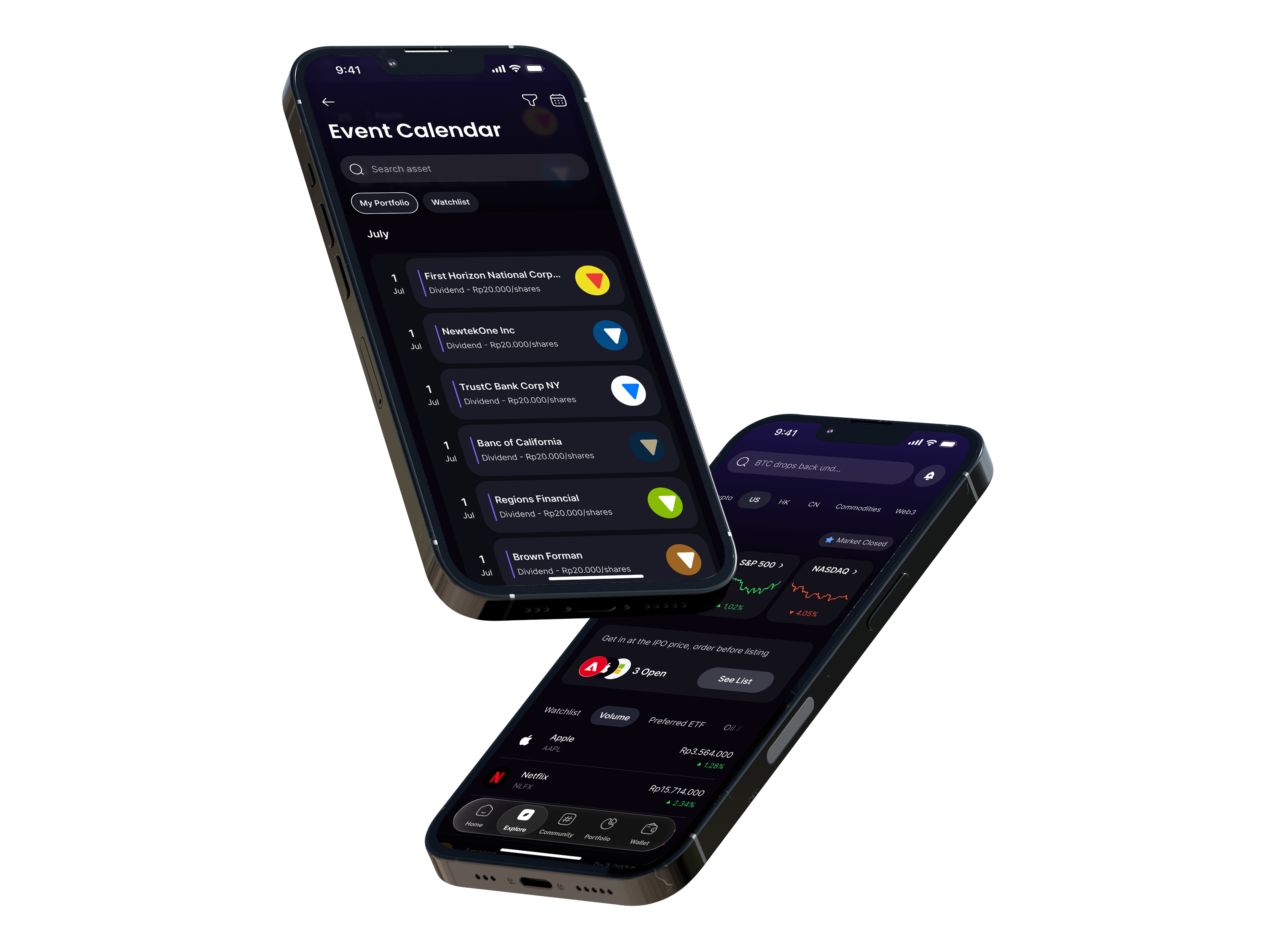
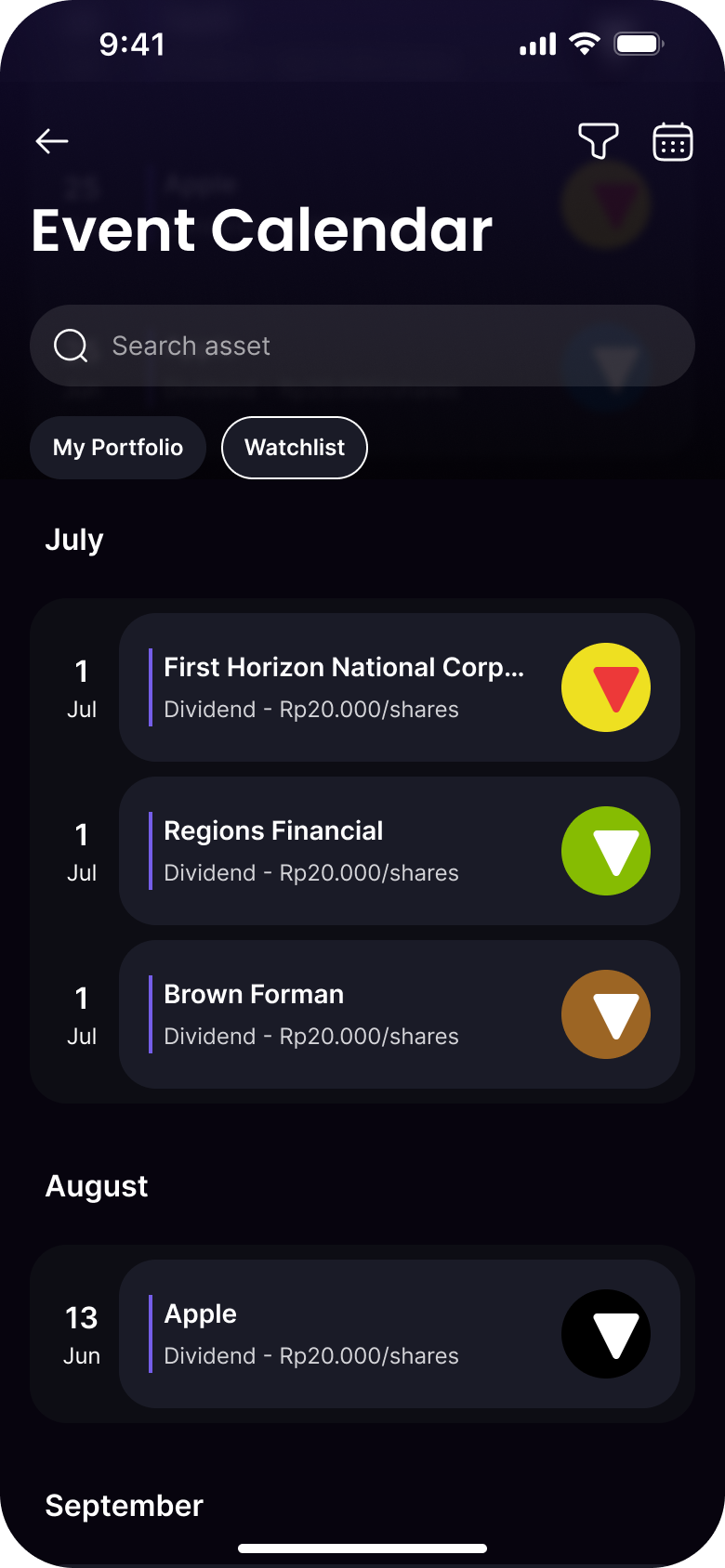
The list is the default. Events group under the month they fall in, the date keeps its own left rail, and the whole thing scrolls forward, because the usual question is what is coming for my stocks, and a list answers it without asking anyone to aim at a target first.
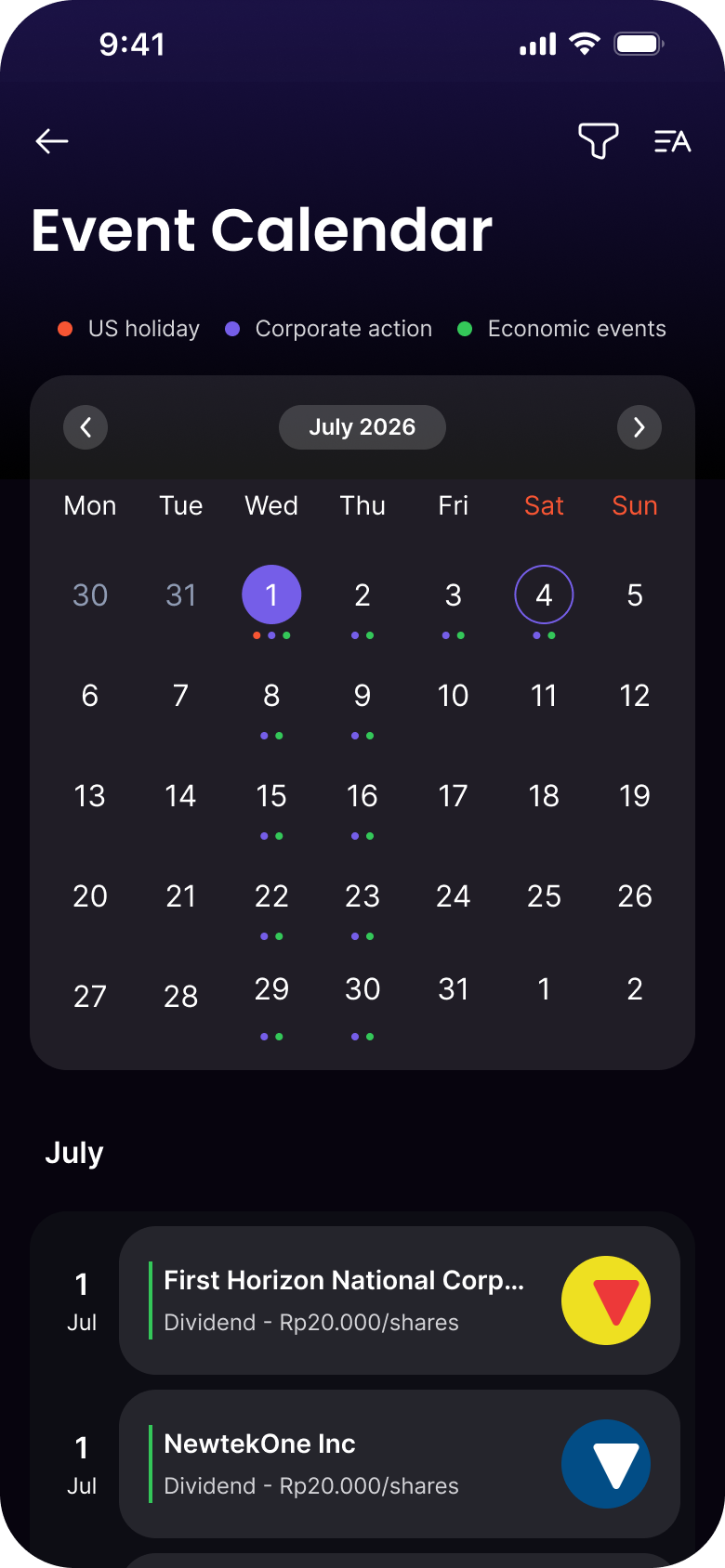
The month grid sits behind one icon in the header, for the other question: what does this week look like. It carries the same three event classes as coloured dots (US holiday, corporate action, economic event), and the list stays underneath it, unchanged. One data set, two readings, no second screen to keep in sync.
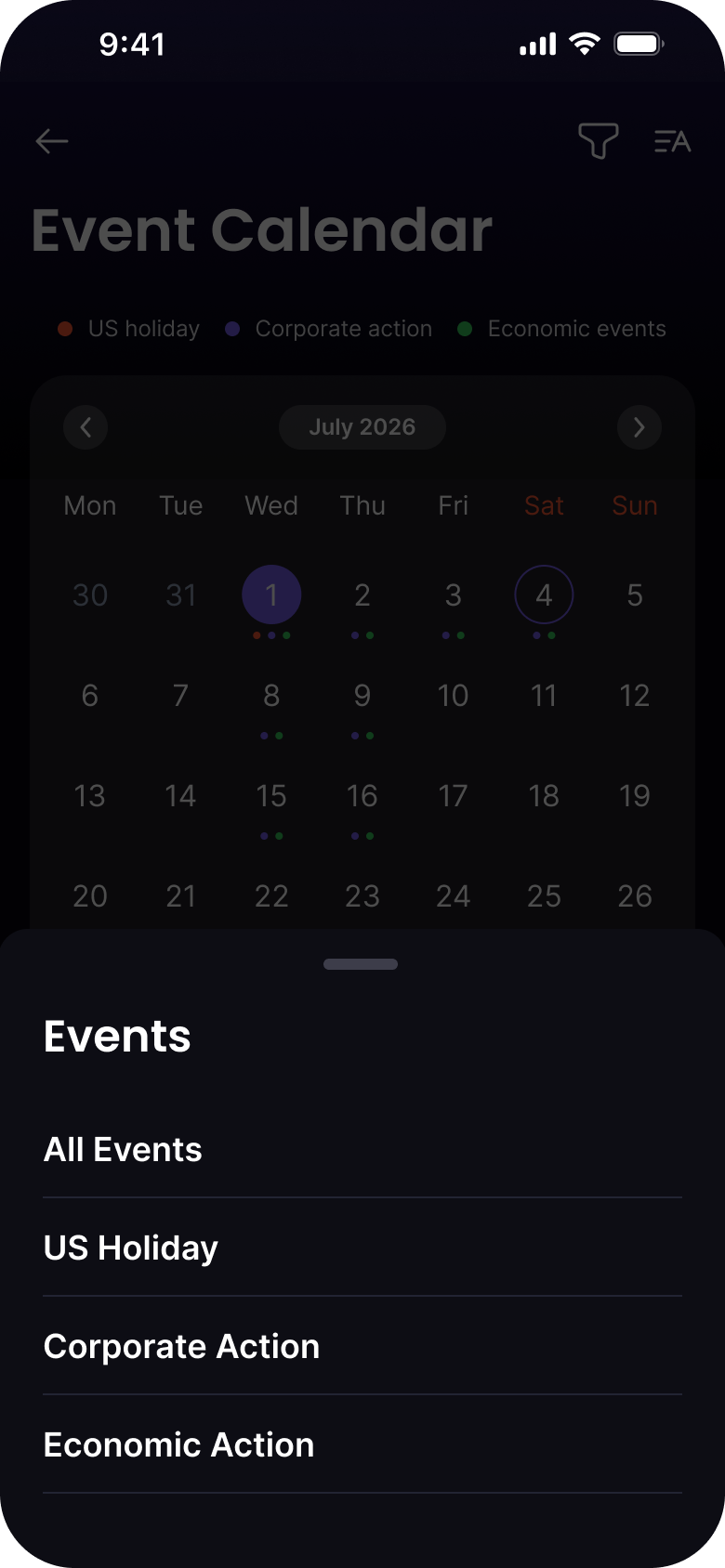
Scope is a pair of chips, not a tab bar: My Portfolio and Watchlist narrow the same rows in place. Event type is a sheet from the filter icon, so four choices arrive full width and thumb-reachable instead of squeezed into a dropdown at the top of the screen.
Screens
Results
Deliverables